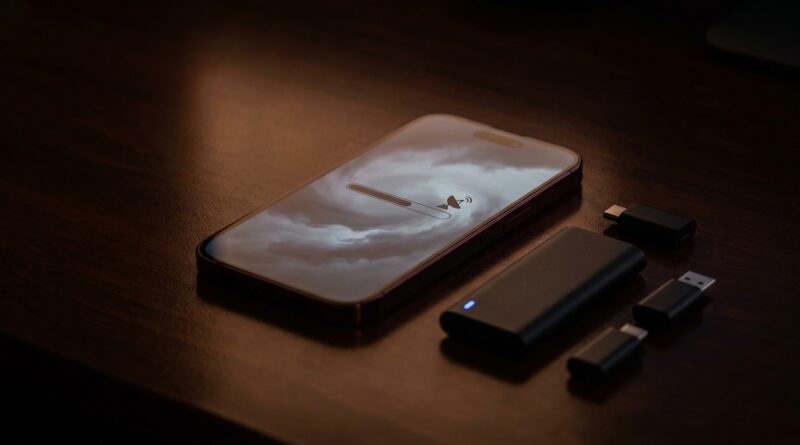
iPhone 18 Pro ‘Portless Backup Hack’: The Quiet USB‑C Adapter Leak That Changes How You Should Really Prepare For A Cable‑Free Future
If the iPhone 18 Pro really is Apple’s first truly port-optional iPhone, a lot of people are about to learn an annoying lesson the hard way. The old habit of plugging your phone into a Mac or PC, making a quick local backup, then restoring it after a bad update was simple. It worked. It also gave you peace of mind. Now, the iPhone 18 portless backup leak suggests Apple may be quietly replacing that safety net with a USB-C adapter setup instead of a built-in port. That sounds small until you lose Wi-Fi, forget an Apple ID password, or get stuck after a buggy update. Then it becomes a very big deal. The good news is you do not need to panic. You just need a better backup routine than “I think iCloud has it.” If you are buying or pre-ordering an iPhone 18 Pro, this is the part you should set up before anything goes wrong.
⚡ In a Hurry? Key Takeaways
- The iPhone 18 portless backup leak points to Apple using an external USB-C adapter path for local backup and restore, not a simple built-in cable connection.
- Set up both iCloud backup and a regular local encrypted backup on a Mac or PC, using any official adapter or wireless transfer tool Apple supports.
- Local encrypted backups are still the best insurance for saved passwords, Health data, app settings, and faster recovery after theft, damage, or a failed update.
What the leak actually changes
The key issue is not just “no port.” It is what no port does to your routine.
For years, many iPhone owners had a fallback plan. If something went wrong, you plugged the phone in and made a full backup through Finder on a Mac or Apple Devices or iTunes on Windows. It was boring, but reliable.
The iPhone 18 portless backup leak suggests Apple may push that process through a separate USB-C accessory, likely used for service, data transfer, or emergency restore. If that happens, local backup does not disappear. It just becomes less obvious, and probably less convenient.
That matters because convenience is what decides whether most people back up at all.
Why iCloud alone is not enough
iCloud Backup is useful. For many people, it is better than doing nothing. But it is not the same as having a clean, recent local backup under your control.
Common weak spots with cloud-only backup
Your backup may be old because the phone was low on storage, low on battery, or not on Wi-Fi overnight. Your Apple ID may be locked after suspicious activity. Two-factor authentication can become a mess if your trusted device is missing. And restore speeds can be painfully slow when you need your phone working today, not tomorrow.
There is also the simple problem of bad timing. A buggy iOS update, accidental deletion, theft, or damage does not wait until your backup situation is ideal.
That is why the smart move is a two-layer plan. Cloud for convenience. Local for real recovery.
The quiet USB-C adapter angle
This is the part many launch articles skip. The leaked detail people should care about is not just that Apple may remove the port from daily use. It is that Apple still appears to need some kind of wired path for deeper backup, restore, diagnostics, or data migration.
That makes sense. Wireless is fine until it is not. A direct connection is still the fastest and most dependable option when a phone is unstable, partially set up, or in recovery mode.
If Apple ships an official USB-C adapter, dock, magnetic service connector, or similar tool, treat it like insurance, not like a weird extra accessory you can buy later.
How to prepare before your iPhone 18 Pro arrives
1. Clean up your current iPhone first
If you are upgrading, start with the phone you already have. Remove apps you do not use. Make sure Photos is syncing. Check Messages. Confirm your Apple ID password works. Update your trusted phone number for account recovery.
This is boring prep, but it prevents ugly surprises during setup.
2. Turn on iCloud Backup, then check the date
Do not just assume it is running. Go to Settings, tap your name, tap iCloud, tap iCloud Backup, and confirm the last successful backup time.
If it has been days or weeks, fix that now.
3. Make an encrypted local backup
This is the big one. On a Mac, connect through Finder. On Windows, use the Apple Devices app or iTunes if needed. Choose Encrypt local backup and set a password you will not forget.
Encrypted backups matter because they can include saved passwords, Wi-Fi settings, Health data, and more complete app information. An unencrypted backup is better than nothing, but it is not the full safety net.
4. Save that backup password somewhere safe
If you lose the encryption password, the backup can become useless. Store it in a password manager, or write it down and keep it somewhere secure at home.
5. Plan for Apple’s adapter, not just MagSafe
If the leak proves accurate and Apple uses a dedicated USB-C backup or restore adapter, buy it early. Do not wait until your phone is frozen on a recovery screen and every store is out of stock.
Think of it the same way people used to think about a charging cable. Not exciting. Very important.
What a sensible backup routine looks like now
You do not need to become the family IT department. You just need a simple schedule.
Best routine for most people
Keep iCloud Backup on all the time. Then do a local encrypted backup once a month, and always do one right before a major iOS update, beta install, trade-in, or repair.
That is it. Simple, repeatable, and much safer than hoping the cloud has everything.
Best routine for power users or small business owners
If your phone holds work chats, receipts, client contacts, voice notes, or two-factor apps, do local backups more often. Weekly is reasonable. Before travel is smart too.
What to do if Apple makes local backup more awkward
Apple has a habit of removing friction for some people while adding it for others. Most buyers will love a cleaner phone design. Fewer people will love the first day they need a restore and realize there is one more accessory in the chain.
If local backups become adapter-dependent, your goal is not to fight the trend. It is to work around it calmly.
Keep one approved adapter at home. If you manage family devices, maybe keep a second one. Label it. Do not toss it into the drawer of mystery cables.
Watch out for these restore-day mistakes
Assuming Quick Start is the same as backup
Quick Start phone-to-phone transfer is handy, but it is not a substitute for a stored backup. If your old phone is lost, dead, or unstable, Quick Start may not help you.
Forgetting app logins
Some apps still ask you to sign in again after restore. Banking apps and secure messaging tools are common examples. Make sure your passwords and authentication methods are current before you switch phones.
Skipping a test restore mindset
You may not want to wipe a phone just to test a backup, which is fair. But at least verify that your computer sees the device, the backup completes successfully, and the timestamp updates. A backup you never checked is a guess.
Should you wait to buy the iPhone 18 Pro?
Not necessarily. The hardware is likely to be excellent. The issue is not that the phone is bad. The issue is that the backup habit many people trust is changing, quietly.
If you go in prepared, this does not need to be scary. In fact, early adopters who set up a proper routine may end up safer than people who have coasted on random old iCloud backups for years.
At a Glance: Comparison
| Feature/Aspect | Details | Verdict |
|---|---|---|
| iCloud Backup | Automatic and easy, but depends on account access, storage space, battery, and solid Wi-Fi. | Great first layer, not enough on its own. |
| Local Encrypted Backup | Stored on your Mac or PC, usually faster to restore, and better for passwords, Health data, and app settings. | Best safety net for serious recovery. |
| Leaked USB-C Adapter Path | Likely Apple’s answer for wired backup, restore, or service on a portless iPhone 18 Pro. | Worth planning for early, especially if you want control. |
Conclusion
The iPhone 18 portless backup leak is easy to shrug off when all the attention is on cameras, AI tricks, and color options. But this is the part that can save you from a very bad week. People are buying or pre-ordering the iPhone 18 Pro right now, and most coverage is barely touching the real shift Apple is making toward a portless, cloud-dependent future. If you do one thing before your new phone arrives, make it this. Set up iCloud Backup, create an encrypted local backup, and be ready to use Apple’s backup adapter if that leak becomes reality. That simple routine gives you something better than hype. It gives you a real insurance policy before a software glitch, theft, lockout, or failed update turns an exciting upgrade into a mess.