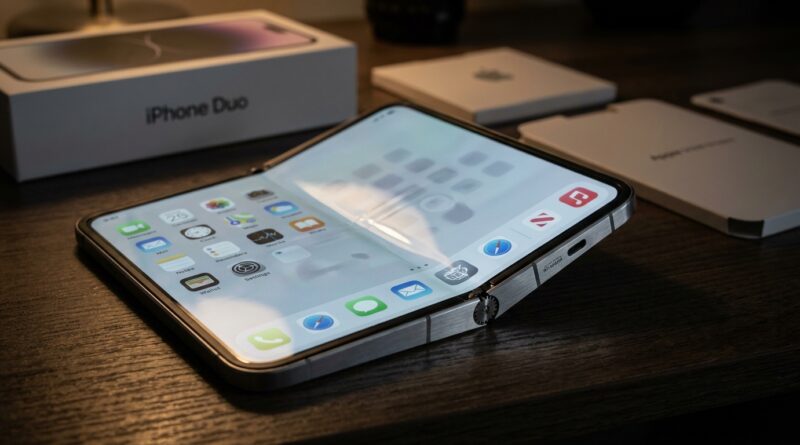
iPhone Duo ‘Fold-Screen Burn‑In Hack’: The Quiet Display Lifespan Leak That Changes How You Should Really Use Apple’s First Foldable
Spending nearly $2,000 on a foldable iPhone and then worrying that the screen might wear out faster than a normal one is the kind of annoyance nobody wants. Yet that is the boring little issue hiding behind all the shiny Duo hype. Foldables use flexible OLED panels, and OLEDs age with use. Add high brightness, lots of static interface elements, and a giant inner screen you will be tempted to leave open all day, and you have a very real long-term risk. That is the quiet truth behind the iPhone Duo display burn in leak chatter. It is less about one dramatic flaw and more about daily habits that slowly chip away at screen life. The good news is you do not need to baby the phone. You just need to use it a bit smarter. If you are pre-ordering early, this is the practical survival guide that matters more than another spec list.
⚡ In a Hurry? Key Takeaways
- The iPhone Duo display burn in leak concern is believable because big folding OLED screens wear faster when used at high brightness with static content.
- Use the cover display for quick tasks, keep auto-brightness on, and avoid leaving the inner screen parked on one app for long stretches.
- You do not need to panic, but small habit changes now can add real lifespan to a very expensive first-generation foldable.
Why this matters more on the Duo than on a regular iPhone
Burn-in is not a sudden crack or a dramatic failure. It is uneven aging. Parts of an OLED screen that show the same bright shapes over and over can wear faster than the rest. That can leave faint ghosts of keyboards, navigation bars, widgets, video controls, or app layouts behind.
On a normal iPhone, Apple has years of experience managing this risk. On a foldable, the situation gets trickier. The inner display is larger, more expensive, and more likely to be used for long reading sessions, maps, split-screen apps, and media playback. That means more hours with static elements sitting in the same spots.
So when people talk about an iPhone Duo display burn in leak, the smart way to read that is this: the danger is probably not one secret defect. The real leak is lifespan leaking away through everyday use patterns.
What actually causes OLED burn-in
Brightness is the biggest factor
The brighter the panel runs, the faster the organic pixels age. This does not mean high brightness is bad in short bursts. It means maxing out the inner screen for hours every day is like redlining a car engine all the time. It works. It just wears faster.
Static interface elements are the second problem
Think app toolbars, the dock, battery icons, always-visible video controls, game HUDs, and side-by-side multitasking layouts. If they sit in place often enough, those areas can age unevenly.
Heat makes both of those worse
High brightness plus a warm device is a rough combo for OLED life. Gaming, charging, video calls, and outdoor summer use can all push the panel harder.
The quiet habit that will age the Duo fastest
Using the inner screen like a mini iPad for every tiny task.
That sounds harmless, but it matters. If you open the big display to check messages, scroll social media for five minutes, answer a quick email, then leave the same chat app or split-screen layout open on a desk, you are piling hours onto the fragile, expensive panel when the outer screen could have handled it just fine.
That is the best “hack” here, even if hack is a slightly dramatic word. Use the cover screen more. Save the big inner panel for moments that actually benefit from it, like reading documents, editing photos, watching a movie, or working with two apps at once.
How bright is safe for all-day use?
There is no magic number Apple is likely to publish, but here is the practical rule.
For routine indoor use, stay around the comfortable middle of the brightness range and let auto-brightness do its job. If you are manually pinning brightness near maximum all day, especially on the inner screen, you are increasing wear for no good reason.
A simple real-world guide
Low to medium brightness indoors: Best for long sessions. This should be your default.
High brightness outdoors or briefly in bright rooms: Fine when needed. Just do not leave it there all day.
Maximum brightness for long media sessions: Avoid if possible, especially if the phone is also warm.
If you like fixed brightness settings, this is one place to stop. Auto-brightness is your friend on a foldable. It lowers output when extra brightness is not needed, which reduces wear without you thinking about it.
When to favor the cover display
If the task is short, repetitive, or full of static interface elements, use the outer screen.
Best tasks for the cover screen
Checking notifications. Replying to texts. Music controls. Quick calls. Directions glances. Calendar checks. Shopping lists. Two-minute email triage.
Best tasks for the inner screen
Reading long articles or PDFs. Watching movies. Editing images. Reviewing spreadsheets. Multi-app work. Longer browsing sessions where the larger canvas actually helps.
This one habit can do more for Duo screen life than obsessing over hidden settings.
How long should static content stay on screen?
Try not to leave bright, unchanged content on the inner display for more than a few minutes at a time if you can help it. That does not mean the screen is doomed at minute six. It means repeated long sessions with unchanged UI are what add up over months.
Set these protections right away
Use a short auto-lock time. One or two minutes is ideal for most people.
Keep dark mode on, especially for apps you use a lot.
Turn on auto-brightness.
Use wallpaper and home screens that do not pin very bright blocks of color in one spot.
If Apple offers moving taskbars, auto-hiding docks, or subtle UI shifting on the Duo, leave those on.
Duo-only habits that should reduce stress on the foldable screen
First-generation foldables usually need smarter habits, not fear. Here is the playbook.
1. Close it when you are done
Do not leave the inner screen open on a desk as a passive display unless you really need to. That giant panel should not become your always-on status board.
2. Rotate your heavy-use apps
If you spend hours reading, gaming, or watching content on the Duo, vary the app layout and orientation now and then. Small shifts spread wear more evenly.
3. Avoid hot charging plus screen-heavy sessions
Streaming or gaming on the inner screen while charging is convenient, but it adds heat. Heat is bad for batteries and not great for OLED lifespan either.
4. Be careful with split-screen marathons
Split view is one of the best reasons to buy a foldable. It is also a perfect recipe for static sidebars and app chrome sitting in place for long stretches. Use it. Just do not camp there all day at full brightness.
5. Prefer dark interfaces when possible
Dark mode helps because black pixels on OLED use far less power and age more slowly than bright white areas. If you read a lot, this matters.
What about the crease? Is that the same issue?
No. The crease is a separate concern. It is about the physical shape and stress of the folding layer. Burn-in is about pixel aging.
That said, the two worries meet in one practical place. The inner display is precious. Anything that reduces unnecessary open-screen time helps both your peace of mind and your long-term value.
Should this stop you from buying the Duo?
Not necessarily. It should just change how you use it.
First-generation Apple hardware is usually polished, but physics still gets a vote. A large flexible OLED will not love being blasted at max brightness with static apps all day. That is not anti-Apple. That is just how OLED works.
If you know that going in, the Duo makes a lot more sense. Buy it for the big-screen moments. Do not turn every tiny interaction into a big-screen moment.
A simple setup checklist for day one
Before you get lost in the fun part, do these first:
- Turn on auto-brightness.
- Set auto-lock to one or two minutes.
- Enable dark mode system-wide.
- Use the cover display for quick tasks by default.
- Avoid leaving navigation, chat, or video controls parked on the inner screen for long stretches.
- Do long streaming or gaming sessions off the charger when practical.
- Keep the phone out of direct heat during heavy use.
At a Glance: Comparison
| Feature/Aspect | Details | Verdict |
|---|---|---|
| Inner screen brightness | High brightness is fine in short bursts, but all-day maximum use will age OLED pixels faster. | Keep auto-brightness on and avoid running the inner panel too bright indoors. |
| Cover display vs inner display | The cover screen handles quick tasks with less wear on the expensive folding panel. | Use the cover screen more often than you think. |
| Static content time | Long repeated sessions with unmoving toolbars, maps, chats, or split-screen layouts increase uneven aging risk. | Shorten auto-lock time and switch apps or close the phone when idle. |
Conclusion
The iPhone Duo display burn in leak story is really a warning about habits, not a reason to panic. Pre-orders are opening before anyone has months of real-world reliability data, which means early buyers need a practical plan more than they need more hype. That plan is simple. Keep brightness reasonable. Let auto-brightness work. Favor the cover display for quick stuff. Do not leave static content sitting on the inner screen forever. And save the big folding display for the tasks that truly benefit from it. That is how you turn scattered lab clues and supply-chain whispers into something useful today. If you are the kind of person who buys first and regrets later, this is your chance to skip the regret part and get more life out of a very expensive phone.