iPhone 18 Pro ‘Apple Reference Image Hack’: The Quiet Security Leak That Changes How You Actually Prove Your Phone Is Yours
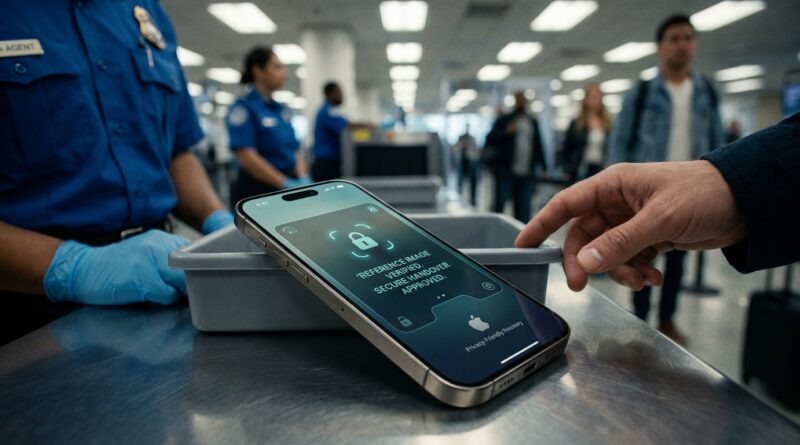
Losing a phone is bad. Losing a very expensive phone and then standing there unable to prove it is yours is worse. That is the quiet fear behind the new iPhone 18 Pro Apple Reference Image security feature. While most leaks are obsessing over cameras and chip scores, this one hits a real-life panic point. Your phone slips out of your pocket in a rideshare, gets handed to airport staff, or lands behind a bar counter. Someone asks, “Can you prove it’s yours?” and your lock screen wallpaper is not enough. Apple appears to be fixing that with a new on-device identity image system, sometimes described in early leaks as a “reference image” tied to the owner. If this leak holds, it could become one of the smartest setup steps on the whole phone. Not flashy. Very useful. And the kind of thing you will wish you had turned on before something goes wrong.
⚡ In a Hurry? Key Takeaways
- The iPhone 18 Pro Apple Reference Image security feature looks like a new way to store a private proof-of-ownership image on the device for recovery situations.
- Set it up on day one with a clear photo and backup details, then pair it with Find My, Recovery Contact, and theft protection settings.
- This is not about showing off your phone. It is about giving yourself a better chance of getting it back when stress is high and time matters.
What the Apple Reference Image feature seems to do
Based on early reports and translated leak chatter, Apple may be adding a dedicated identity image slot to the iPhone 18 Pro. Think of it as a private proof card for your phone. Not your wallpaper. Not your contact poster. A specific image you choose for recovery and ownership verification.
The big idea is simple. If your phone is found, checked by staff, or handled during a claim, there is one more trusted way to match the phone to you. That can matter when a stranger, a venue manager, or even support staff wants more than “I know the passcode” as proof.
Apple has played in this area before with Find My, Apple ID lock, and device serial records. What feels new here is the practical human layer. A visual ownership marker that lives on-device and is built for “my phone is missing right now” moments.
Why this matters more than another camera rumor
Most people do not lose their phone in a neat, tech-review kind of way. It happens in a rush. At security trays. In the back seat of a ride. On a restaurant booth bench. Your brain goes foggy fast.
That is why this leak is more useful than a benchmark chart. In real life, recovery often depends on speed, clarity, and having one obvious way to identify what is yours. If the iPhone 18 Pro Apple Reference Image security feature works as described, it turns setup into insurance.
It also fits a wider Apple trend. Security is getting more personal, more local, and more tied to the device itself. If you have been following supply chain and security drama around upcoming iPhones, this shift makes sense. We recently saw how even Apple’s pipeline can be exposed in Massive Apple Supplier Hack Just Hit: Could Your Next iPhone’s Design Be Sitting on a Dark Web Server?. Hardware leaks get the headlines, but identity and recovery tools are what help regular people when things go sideways.
How it would likely work in practice
Step 1. You add a reference image during setup
The most likely flow is in Settings during initial setup or inside Security and Privacy later. Apple could ask you to take or choose a photo that helps identify you as the owner. A face image is the obvious guess, but it could also allow a personal image with a clear link to you.
Step 2. The phone stores it locally
Early descriptions point to an on-device system, which is important. That usually means better privacy and less dependence on cloud access when your phone is missing. If the phone is offline or battery is low, a local reference still helps.
Step 3. It appears in a controlled recovery flow
This is the part to watch. Apple is unlikely to just show the image on the lock screen for everyone. A smarter version would reveal it only through a specific Lost Mode, recovery, or support verification path. That keeps it useful without turning it into a privacy mess.
What to set up the first time you touch an iPhone 18 Pro
If this feature ships the way early reports suggest, here is the smart move. Do these on day one, not after a scare.
1. Choose the right image
Pick something clear and current. If Apple allows a face photo, use good lighting and no heavy filters. If it allows a personal image instead, use one that is easy for you to describe later and hard for someone else to fake. Avoid pictures that are too old.
2. Keep your lock screen useful, not just pretty
A gorgeous wallpaper is fine. But if your phone goes missing, function matters. Consider enabling the medical ID and emergency contact options that help someone return your phone without unlocking your life.
3. Turn on Find My and check your trusted devices
This sounds obvious, but many people skip the final checks. Make sure Find My is on, your Apple ID password is up to date, and at least one other trusted Apple device can still access your account if the phone is gone.
4. Add a Recovery Contact
Apple’s Recovery Contact tool is boring until it is suddenly very important. Set one. Pick someone you trust who will actually answer the phone.
5. Test your recovery plan once
Open Find My. Confirm your device appears. Confirm Lost Mode options make sense to you. If Apple adds the reference image menu, learn where it lives before you need it under stress.
What this feature is not
It is not magic. It will not replace your Apple ID, passcode, serial number, or purchase receipt. It will not guarantee that a stranger hands your phone back. And it should not become an excuse to put private personal info on your lock screen.
Think of it as one more strong card in your wallet. Helpful on its own. Better when used with the rest of Apple’s security stack.
Privacy questions you should ask right away
Any identity feature deserves a little skepticism. Before you use it, check three things.
Where is the image stored?
On-device is the best answer. If Apple mirrors it to iCloud, users should get clear control over that.
When does it appear?
It should only show in a limited recovery context. Not to anyone who picks up your phone and taps around.
Can you update or remove it easily?
You should be able to replace the image after a haircut, name change, or privacy concern without jumping through hoops.
Who benefits most from this
Frequent travelers. Students. Parents with teenagers. Anyone who uses bars, buses, airports, stadiums, and ride shares. In short, normal people living normal lives. The more your phone moves with you, the more this matters.
It could also be a big help for people who buy pricey phones but hate paperwork. Not everyone keeps the box, the serial sticker, and the receipt in a neat drawer. A built-in proof layer makes ownership easier to show when your hands are shaking.
At a Glance: Comparison
| Feature/Aspect | Details | Verdict |
|---|---|---|
| Apple Reference Image | A likely on-device ownership image used in recovery or verification moments. | Promising. Best used as a fast proof layer, not a full replacement for account security. |
| Find My and Lost Mode | Tracks location, lets you lock the phone, and can show a message for whoever finds it. | Still essential. Turn it on immediately. |
| Proof of Purchase and Apple ID | Receipts, account access, and device records remain the official backbone of ownership claims. | Most reliable for support cases. Keep them available. |
Conclusion
Right now the hype cycle is locked on Duo preorders, foldable hinges, and cooling tricks. Fine. Let everyone else argue about that. The smarter move is preparing for the ugly moment when your very expensive iPhone 18 Pro disappears in a bar, rideshare, or airport bin. If Apple really is adding this new on-device identity image system, it is one of the first settings you should touch. You will know what it is, how it works in practice, and how to set it up from day one. That gives you a head start before bigger English-language sites catch up. Best case, you never need it. Worst case, it becomes the calm little detail that helps get your phone back.