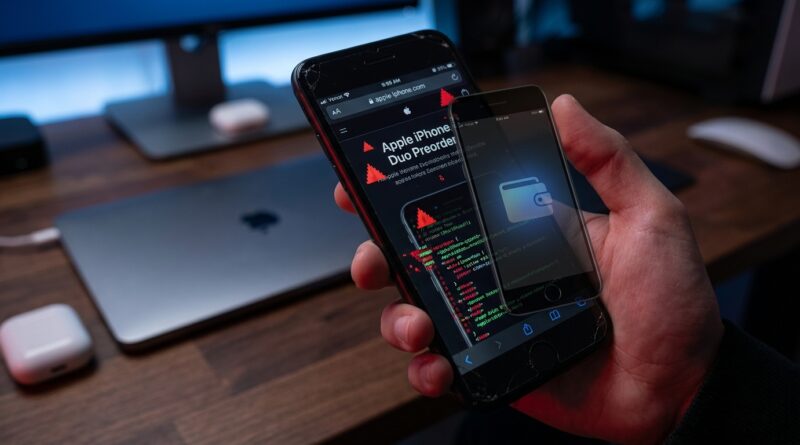
iPhone Duo ‘DarkSword Security Hack’: The Quiet Preorder Scam Leak That Changes How You Actually Protect Your Old iPhone
You can feel the trap here. iPhone rumor season makes smart people click fast, especially when a message promises “early access” or a secret iPhone Duo preorder page. That is exactly why this fake iPhone Duo preorder DarkSword exploit story matters. The scam is quiet, polished, and aimed at people who think they know the drill. If you still keep an older iPhone around as a backup, test phone, wallet device, or 2FA companion, you are in the danger zone. A cloned preorder page can look close enough to Apple’s real checkout flow that you do not stop to question it. On older, unpatched iPhones, one bad tap can lead to credential theft, wallet theft, and account takeover before you even close the tab. The fix is not panic. It is a simple preorder sanity check you do every single time before you sign in, pay, or sync anything important.
⚡ In a Hurry? Key Takeaways
- Yes, a fake preorder page can be enough to trigger a serious attack chain on an older iPhone if it is unpatched and tied to sensitive apps.
- Never use preorder links from email, texts, social posts, or forums. Open Apple’s site or Apple Store app yourself, then navigate from there.
- Your oldest iPhone is often your weakest link, especially if it also holds crypto apps, saved passwords, or 2FA codes.
What the DarkSword scare actually means
Let’s strip away the dramatic name for a second. The core problem is simple. Attackers clone the Apple preorder experience, then use that moment of excitement to get you onto a malicious page. If your phone is older and missing recent security fixes, the page may do more than just steal your Apple ID password.
It can try to run browser-based tricks, push fake sign-in prompts, harvest autofill data, or redirect you into installing configuration profiles or trusting apps you should never touch. In the worst cases, the point is not your preorder. It is everything connected to that phone.
Why older iPhones are the real target
New iPhones get the headlines. Older iPhones get attacked.
That is because a lot of us use old devices in risky ways. We keep them as backup phones. We test beta apps on them. We leave them signed into old email accounts. We sync password managers. Some people even keep crypto wallets or authenticator apps there because it feels “separate” from the main phone.
Attackers love that setup. An older device often has weaker protection, more neglected apps, and fewer updates. It may also be the device you use casually, which means less caution.
How the fake iPhone Duo preorder DarkSword exploit works in real life
Step 1: The bait
You get a message saying preorder access is live early. It might come by email, text, Discord, Telegram, X, Reddit, or a leak roundup site. The message uses urgency. Limited slots. Carrier priority. Trade-in lock-in. Invite-only access.
Step 2: The page looks “good enough”
The fake site copies Apple’s clean design, product photos, financing language, and even fake inventory timers. Most people do not inspect every detail when they think they are racing other buyers.
Step 3: You sign in or interact
At best, the site steals your login details. At worst, it also abuses browser flaws, fake pop-ups, malicious downloads, or device trust prompts on an older iPhone.
Step 4: The real theft happens elsewhere
Once attackers have your Apple ID, email access, saved passwords, wallet recovery hints, or 2FA path, the fake preorder page has done its job. The preorder was never the prize. Your digital life was.
The preorder sanity check. Use this every time
This is the part to save and actually use.
1. Never tap into Apple from a message
If an email or text says preorder access is open, ignore the link. Open Safari and type apple.com yourself, or open the official Apple Store app yourself.
2. Treat “early access” as suspicious by default
Apple does not need weird redirect links, secret countdown pages, or third-party forms to sell iPhones. If it looks exclusive in a sketchy way, walk away.
3. Check the address, not just the logo
Look at the full web address. Not the first few letters. Not the page design. Scam pages often use lookalike domains, extra words, strange country endings, or tiny misspellings.
4. Use the Apple Store app when possible
The app is not magic, but it removes a lot of browser-link risk. Starting from the app is safer than jumping in from social media or email.
5. Update the old iPhone before hype season
If your backup phone still gets security updates, install them now. Not later. Not after preorder day. Right now.
6. Remove sensitive apps from devices you do not maintain
If an older iPhone is rarely updated, it should not hold your crypto wallet, password vault, or primary authenticator if you can help it. Convenience is nice until it turns into a cleanup project.
7. Turn off autofill where it matters
Autofill is handy, but it can also make phishing faster and more damaging. At minimum, be careful with saved card details and passwords on old devices.
8. Watch for profile installs and trust prompts
If a preorder page asks you to install anything, trust a certificate, approve a profile, or download a helper app, stop immediately. Apple preorder pages do not work like that.
9. Separate your “fun leak phone” from your “serious accounts phone”
If you love testing rumor links and watching leak chatter on an older device, fine. Just do not let that same phone hold the keys to your money and identity.
10. Use passkeys or strong 2FA on your main accounts
If an attacker gets one password, you want extra protection between them and your email, cloud storage, and financial accounts.
Signs you already clicked something bad
Do not wait for obvious disaster. Look for the small clues.
- Safari suddenly redirects or opens odd tabs
- You see login prompts that feel slightly off
- Your Apple ID shows a new sign-in alert
- Saved passwords stop working because they were changed
- Wallet apps ask for recovery steps you did not start
- Your device asks to trust a profile or certificate
- Battery drain or overheating starts right after the click
What to do if you clicked the link
First 10 minutes
Disconnect from Wi-Fi and cellular if you think the page was actively doing something strange. Close Safari. Do not keep poking around the suspicious site.
From a different, trusted device, change your Apple ID password, your email password, and any password manager password tied to that phone. Check for new trusted devices and sign out of sessions you do not recognize.
Next 30 minutes
Update the iPhone if an update is available. Review installed profiles under Settings. Remove anything you do not recognize. Check your wallet and exchange accounts for unauthorized activity. Review your authenticator setup and backup codes.
Same day
If the old iPhone cannot get current security updates, stop using it for sensitive logins. Back it up carefully, wipe it if needed, and rethink its role in your setup.
The uncomfortable truth about backup devices
A lot of people assume the old phone in the drawer is harmless. It is not harmless if it is still signed in everywhere. In many homes, that backup device is the soft spot. It has old apps, old sessions, old permissions, and just enough access to make your week miserable.
That is why the fake iPhone Duo preorder DarkSword exploit angle is more than a one-day scam warning. It is a reminder to audit the devices you forgot you trusted.
At a Glance: Comparison
| Feature/Aspect | Details | Verdict |
|---|---|---|
| Link source | Email, text, social, or forum links can send you to cloned preorder pages that look convincing. | Do not trust. Open Apple directly. |
| Older iPhone risk | Unpatched devices are easier targets, especially if they store wallets, passwords, or 2FA apps. | Highest priority. Update or retire from sensitive use. |
| Safer preorder method | Use the official Apple Store app or type apple.com yourself, then verify you are on the real site before signing in. | Best everyday habit. |
Conclusion
The big lesson here is not “stop enjoying iPhone leaks.” It is “stop letting hype rush your judgment.” This story matters right now because the hottest iPhone leak is not really about hardware at all. It is about attackers cloning Apple’s preorder flow and quietly aiming the DarkSword-style attack chain at people most likely to use older iPhones and keep valuable accounts on them. That is a very real mix in our crowd. We click early. We test old devices. We sync everything. The good news is that you do not need to become paranoid to stay safe. You just need a repeatable preorder sanity check. Open Apple directly. Update old phones. Keep wallets and password vaults off neglected devices. Make security part of the ritual, like checking trade-in value or color options. That way you still get to enjoy the leak season fun, without becoming the leak yourself.